Using local DeepSeek v4 Flash in Xcode
5 August 2026
I’m rather pleased. I’ve been able to bolt together enough pieces of software that I can now run DeepSeek v4 Flash with native MXFP4 routed-expert weights on my MacBook Pro, not only via a CLI harness like OpenCode, but also through Xcode’s native “intelligence” integration.
Before you get too excited please realise that I’m running this on a ludicrously expensive M5 Max with 128 GB RAM. However, I am hoping that the upcoming Qwen3.8-27B release will be awesome and it will be practical to have a similar workflow with a considerably more modest unified RAM budget.
This is the stack I’ve ended up with:
- Xcode Intelligence configured with a custom ACP agent
- OpenCode running as
opencode acp - antirez’s ds4-server
- DeepSeek v4 Flash: the new 0731 update[1]
To prove it works I typed a short prompt into Xcode—I wanted a Mac SwiftUI application to help me practise cardinal numbers in Polish. It whirred away autonomously for about 90 minutes, filling the context up to 95,200 tokens, and produced an app that more or less did what I asked. I spent an extra half an hour tinkering interactively through the chat interface to fix a few specification issues[2] and a couple of layout bugs[3]. The session started at around 17 output tokens/sec and dropped to about 15.
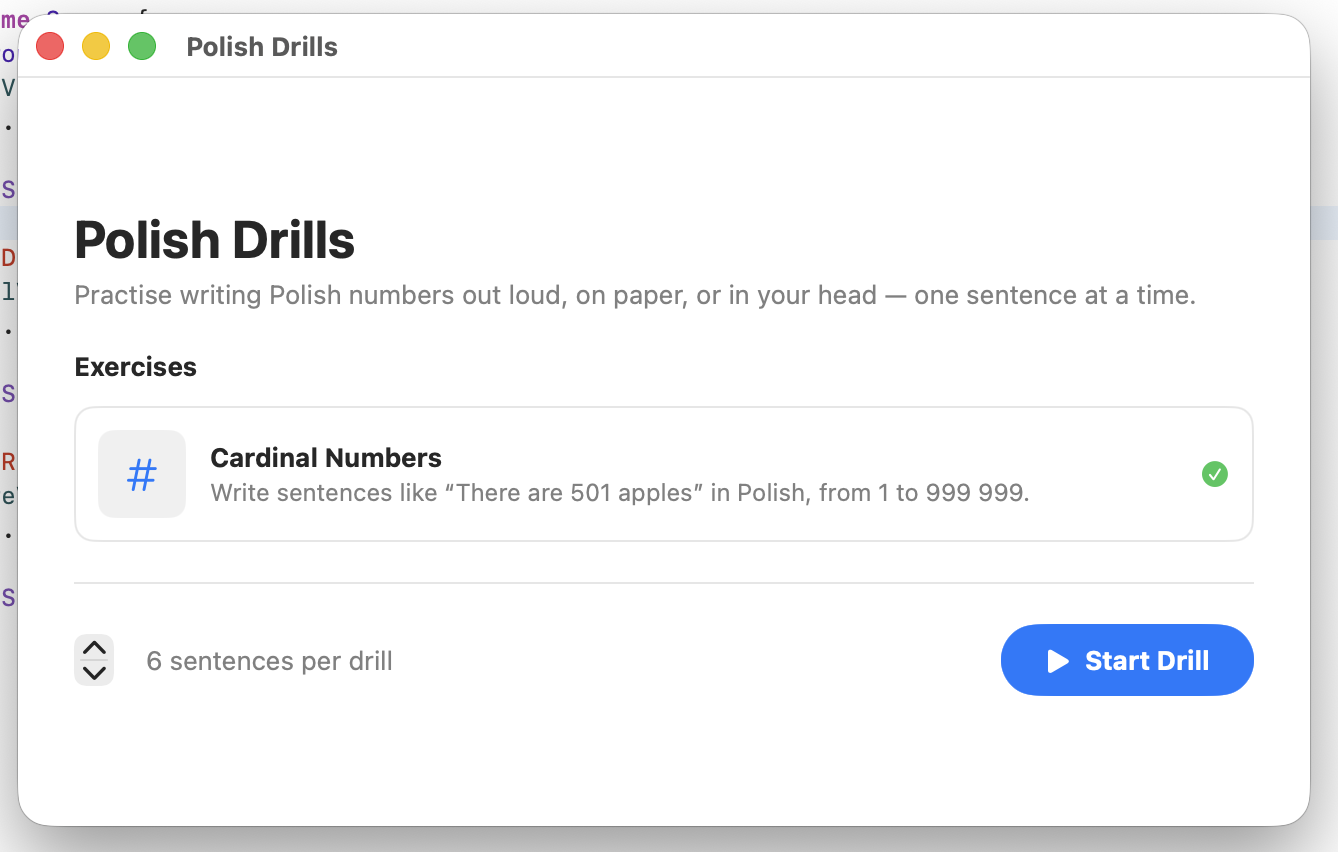
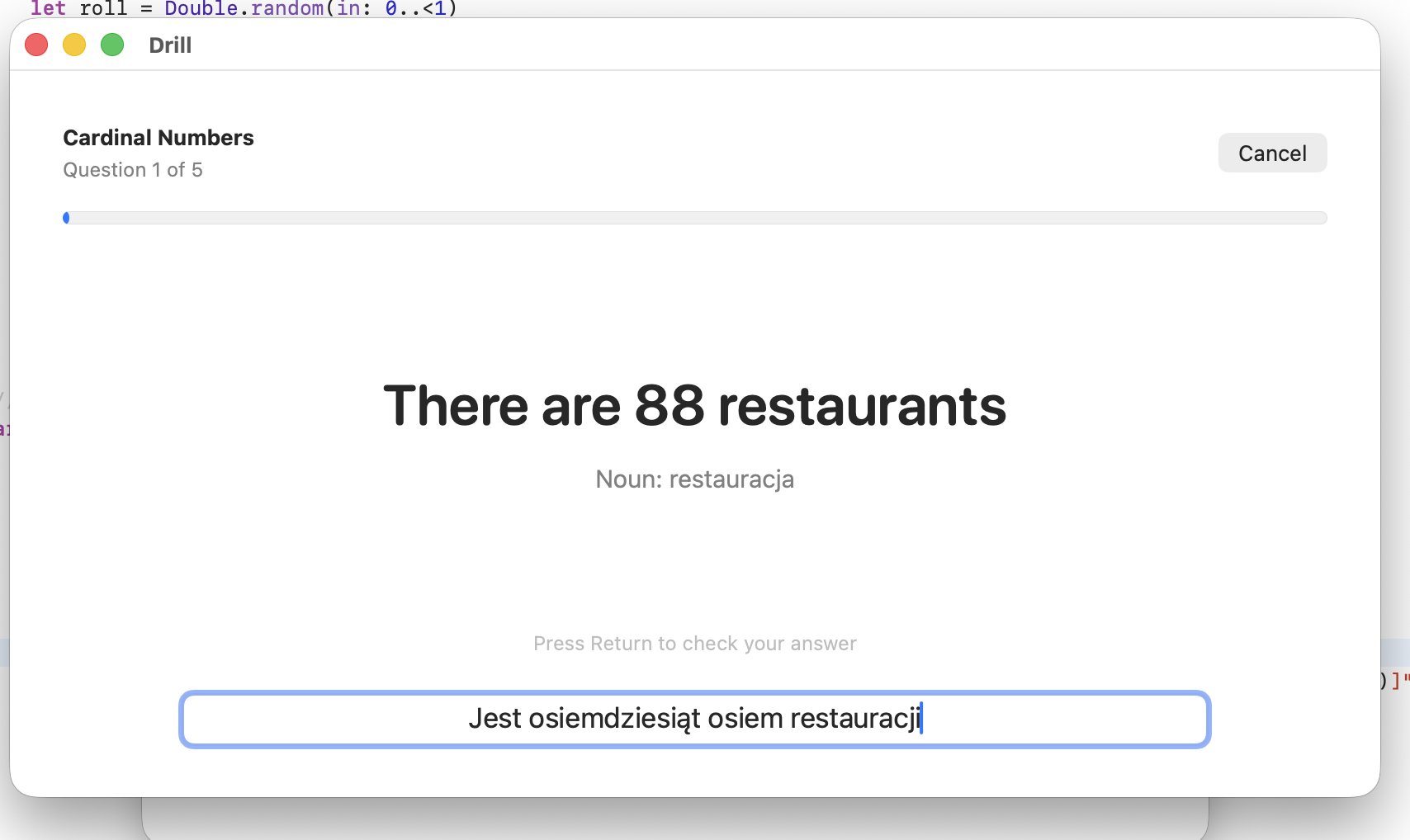
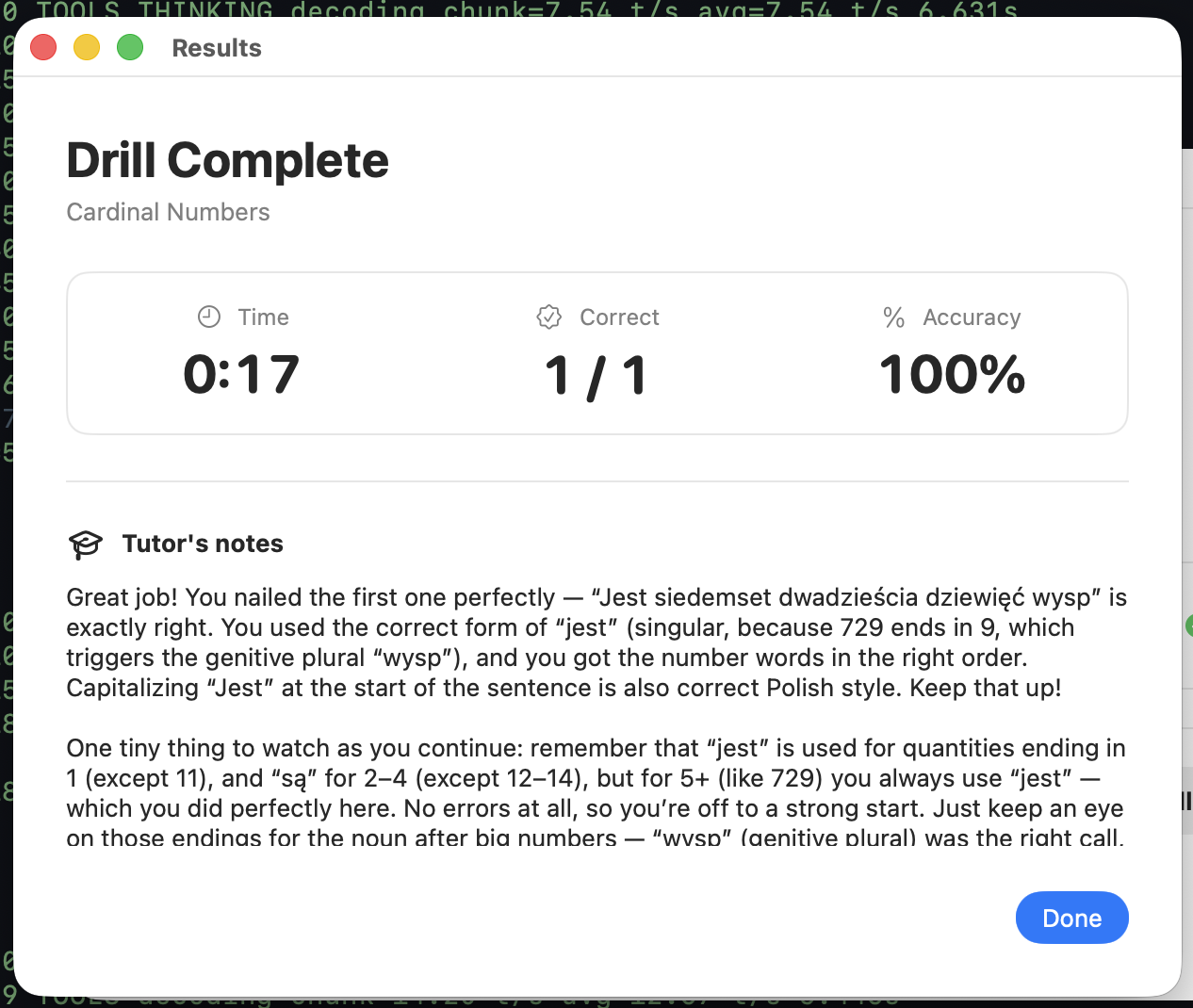
For a fun twist, I made the app itself also use the ds4 chat completions endpoint to provide some dynamic feedback on what the user typed, particularly to explain any mistakes. (As you can see, the “system prompt” needs improving.) DS4F happens to be weirdly good at handling broken Polish and explaining grammar. I’ll have more to say about that in a future post. I hope it got it right in the code. Otherwise I’m going to be practising the wrong thing.
I have no strong opinions about the Swift code. From a quick skim it all seems pretty sensible and it made proper use of JSONSerialization and URLSession for making the HTTP request to the completions endpoint.
Assuming you’d like to try something like this yourself[4], here are some notes and observations.
Let’s start at the bottom of the stack. Since I began my experiments antirez has now merged all the relevant work so you should be able to just clone the ds4 repo, run make -j and run ds4-server. I’m executing it like this:
"$HOME/ds4/ds4-server" \
    --ctx 393216 \
    --kv-disk-dir "$HOME/.ds4/server-kv" \
    --kv-disk-space-mb 100000 \
    --host 0.0.0.0 \
    --ssd-streaming \
    -m "$HOME/ds4/gguf/DeepSeek-V4-Flash-MXFP4Experts-F16HC-F16Compressor-F16Indexer-Q8Attn-Q8Shared-Q8Out-chat-v2-mxfp4-0731.gguf"
Most early benchmarks indicate that DS4F works best with “maximum” thinking. DeepSeek recommends only using max thinking with a 384K context size, which is enforced in ds4-server. Unless you choose a context of at least this size you’ll automatically get downgraded to high thinking. This comes with a RAM cost but it’s mild next to the weights themselves.
You’ll want to enable SSD streaming unless you have a Mac with a stupendous amount of RAM. Note that so long as you’re not going into heavy swapping this will cause large amounts of disk reads rather than writes so it shouldn’t contribute unduly to SSD wear. To give you an idea, across this coding session ds4-server has read about 22 TB from disk.
Since I have free disk space and generating the tokens is relatively expensive I choose to have a fairly large on-disk KV checkpoint cache. 100 GB is probably overkill for most purposes.
If you’re only using it locally you probably won’t want to bind to 0.0.0.0 but I sometimes access it over Tailscale so an endpoint available over LAN often suits me.
So you run that and now you have a standard OpenAI-like chat completions endpoint running at http://127.0.0.1:8000/v1.
Next we need OpenCode, which I have installed through Homebrew. It includes an implementation of Agent Client Protocol, which is what Xcode needs.
Now, in my OpenCode config my model is defined like this:
      "models": {
        "deepseek-v4-flash": {
          "name": "DeepSeek V4 Flash (ds4.c local)",
          "reasoning": true,
          "limit": {
            "context": 393216,
            "input": 393216,
            "output": 384000
          },
          "options": {
            "reasoningEffort": "max"
          },
          "variants": {
            "low": {
              "disabled": true
            },
            "medium": {
              "disabled": true
            },
            "high": {
              "disabled": true
            },
            "max": {
              "reasoningEffort": "max"
            }
          }
        }
      }
And at the top level I have:
  "compaction": {
    "reserved": 65536
  },
This is doing a few things. It forces DS4 to always use max effort even if ACP might try to default to a weaker level. It tells OpenCode the context size available. It allows large responses, which is important when using max thinking because the default limit is 32K and this model will quite happily think for more than that at a time. The reservation gives more breathing space for compaction. Having a large output limit can mess up OpenCode’s calculation of the compaction point, so it will constantly be compacting at a small context size. I fixed that by setting a large input limit too.
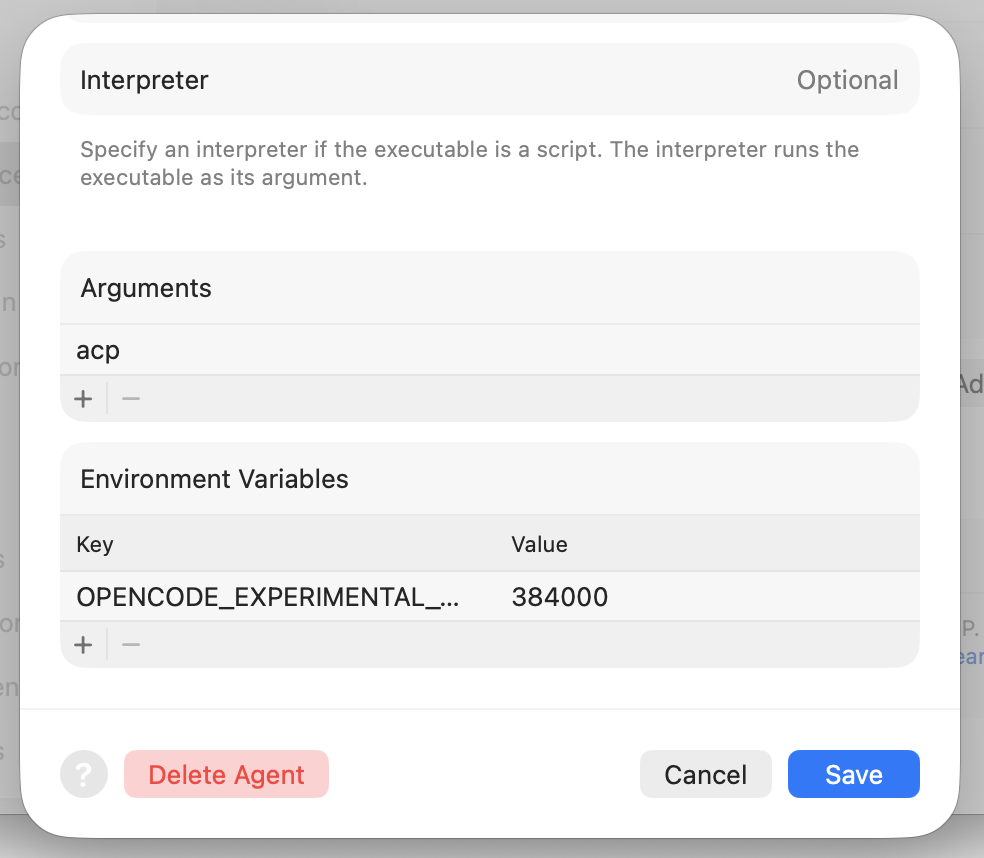
Note that you also need an environment variable OPENCODE_EXPERIMENTAL_OUTPUT_TOKEN_MAX=384000 in Xcode's settings, and in your shell if you use OpenCode there.
While you need to have ds4-server running yourself, Xcode will launch OpenCode on its own when you start a conversation. You need to configure it through Xcode’s Settings in the Intelligence section. Add opencode as the path, and scroll down to set acp as the argument and the above environment variable.
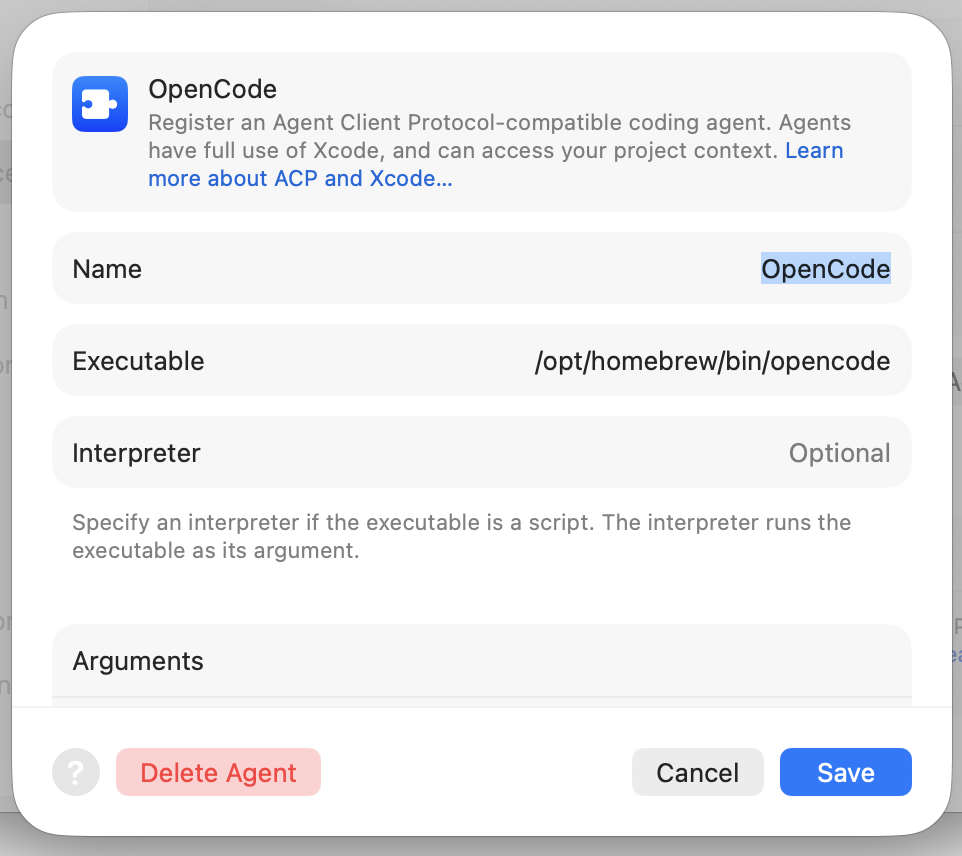
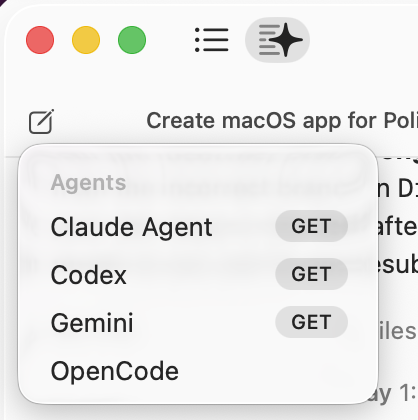
Like me, you may be confused by how you actually talk to it, since Xcode defaults to Codex. Once you click the Coding Assistant button in the top left, you then need to click on the little “New message” icon to get a dropdown where you can choose the agent you just added. When you type in a message and hit enter it will start OpenCode in the background. After 20–30 seconds of I’m-not-sure-what-exactly, requests start hitting DS4.
For some reason my Xcode uses a lot of CPU while DS4 is thinking. Maybe it’s constantly re-rendering the thinking box as reasoning streams in? If I swap away from the coding assistant back to the project view then it settles down. It’s clear that the Xcode UI designers were not anticipating DS4 quantities of thinking—when I click on a large one it can take a full couple of seconds for the scrollable popup to appear.
If you get all that right, you should be off to the races. I’m looking forward to trying this out with the new Qwen model too. It’s unclear to me whether Xcode will make it easy to select multiple open models through OpenCode itself or whether I’ll need to set up wrapper scripts and create two ACP entries if I want to toggle between them.
- Apparently so called because it was released on July 31. ↩︎
- Unsurprisingly in hindsight, it turns out that if you select random numbers between 1 and 999,999, most of the time you’re writing out 6-digit numbers like 556,195. This feels pretty laborious. Most of the grammatical trickiness a student of Polish needs to practise can be reproduced with smaller numbers. ↩︎
- DeepSeek v4 Flash only has text inputs so I can’t just feed it a screenshot. It would be an interesting follow-up to see if I can get it to use a textual description of where the components are laid out in the actual window and use that as feedback to determine whether it wrote the SwiftUI it intended. ↩︎
- Be aware that DeepSeek v4 Flash cloud inference is extremely cheap. That’s a much more cost-effective way to get tokens than buying hardware with lots of RAM. However, there will always be some people who are interested in local inference, for various reasons. You know who you are. ↩︎
Serious Computer Business Blog by Thomas Karpiniec
Posts RSS, Atom